ChatGPT vs Claude vs Gemini: How to Choose the Right AI Model for Your Work

Ask which AI model is best and you will get a confident answer that is out of date within a few months. Model versions ship constantly, benchmark leads change hands, and every comparison article freezes a moment that has already passed.
So this guide does something more durable. Instead of declaring a winner, it gives you a method for deciding which model fits your work — one that still applies after the next release.
Why Rankings Keep Misleading People
Three problems undermine most model comparisons.
Benchmarks measure narrow things. A model topping a reasoning leaderboard tells you little about whether it writes in your brand's voice or handles Tamil-English code-mixing well. Benchmark tasks are standardised; your work is not.
The lead changes hands constantly. OpenAI, Anthropic, and Google all ship major updates on overlapping cycles. Any article claiming a permanent winner is describing a snapshot.
Your constraints are not the reviewer's. A reviewer optimising for raw capability ignores the things that decide real deployments: cost per user, data residency, whether your company already pays for Microsoft or Google, and what your team will actually adopt.
The useful question is not "which model is best?" It is "which model is best for this task, under my constraints, right now?"
The Five Dimensions That Actually Decide It
1. Task fit
Different models have genuinely different characters, and this is more stable than benchmark position.
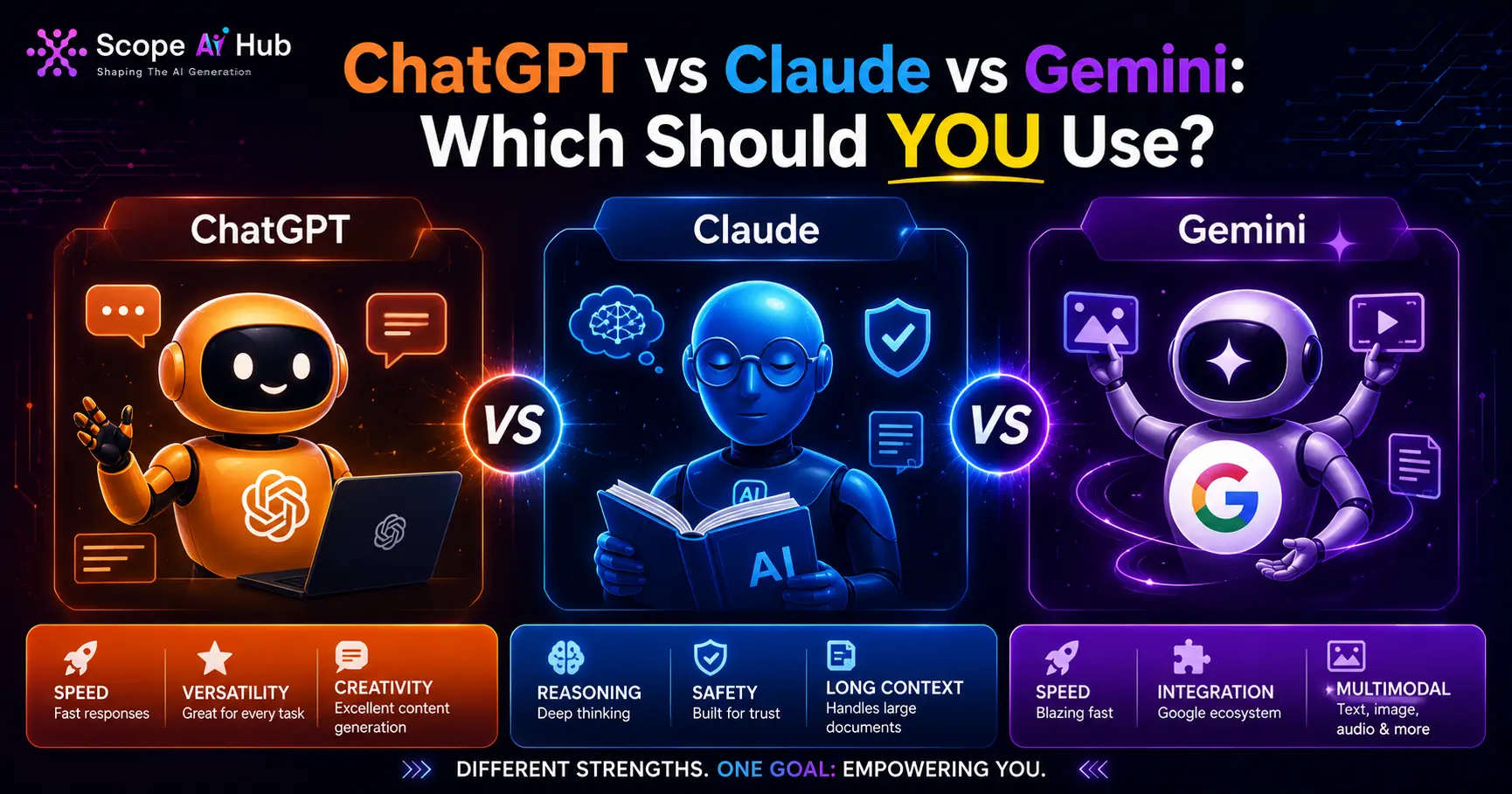
Broadly, and with the caveat that this shifts: OpenAI's models have the widest ecosystem of integrations and plugins. Anthropic's Claude models are frequently preferred for long-document work and for following detailed instructions carefully. Google's Gemini models integrate most naturally with Google Workspace and have strong multimodal handling.
Treat those as starting hypotheses to test, not conclusions.
2. Context window
The context window is how much text the model can consider at once. It matters enormously if you work with long documents, large codebases, or lengthy transcripts, and barely at all if you write short prompts.
All three vendors have expanded context substantially, and the specific numbers change with each release. Check the current figure on the vendor's own documentation rather than trusting an article — including this one.
3. Cost
Pricing has two shapes. Consumer subscriptions are a flat monthly fee per person. API access is priced per token, usually with different rates for input and output.
For a team of five using a chat interface, subscription cost is trivial. For an application serving thousands of requests daily, per-token cost dominates everything else and is worth modelling carefully before you commit.
4. Integration and data governance
This decides more enterprise choices than capability does.
If your organisation runs on Google Workspace, Gemini's native integration removes friction. If you are a Microsoft shop, the OpenAI relationship through Azure matters. If you have strict requirements about where data is processed and whether it can be used for training, read each vendor's enterprise terms — they differ meaningfully, and the consumer terms are usually not the same as the business terms.
For Indian companies, the DPDP Act adds a layer here worth taking seriously. Our post on AI governance roles in India covers the compliance side.
5. Output style
This is subjective and genuinely matters. Models differ in verbosity, willingness to hedge, formatting habits, and tone. Teams often develop a strong preference that has nothing to do with capability and everything to do with how much editing the output needs.
You cannot learn this from a benchmark. You learn it by running your own work through each one.
Run Your Own Evaluation in an Afternoon
This is the part most people skip, and it is worth more than every comparison article combined.
Step 1 — Collect ten real tasks. Not clever test prompts. Ten things you actually did last week: an email you wrote, a document you summarised, a function you debugged, a report you drafted.
Step 2 — Write the expected outcome. For each task, note briefly what a good answer looks like. Doing this before you see any output stops you rationalising afterwards.
Step 3 — Run all ten through each model. Use the identical prompt each time. Free tiers are sufficient for this.
Step 4 — Score blind if you can. Strip identifying formatting, shuffle the outputs, and rate them one to five. People carry brand expectations, and blind scoring surfaces genuine preferences.
Step 5 — Add up and note where they differ. You will usually find no overall winner, but a clear pattern by task type. That pattern is the actual answer for you.
An afternoon of this beats months of reading comparisons, because it measures your work rather than someone else's.
Using More Than One
Many teams settle on two models rather than one, and this is often the right answer rather than indecision.
A common arrangement is a primary model for daily work and a second for the tasks where it consistently wins — long-document analysis, a particular coding style, or a specific integration. Since consumer subscriptions are inexpensive relative to salaries, the cost of running two is usually smaller than the productivity cost of forcing every task through one.
Where a single choice genuinely matters is API-based applications, where switching later carries real engineering cost. There, run the evaluation above properly before committing.
What Matters More Than Model Choice
An uncomfortable observation for anyone agonising over this decision: the gap between a skilled user and an unskilled user on the same model is usually larger than the gap between models for the same user.
Someone who provides clear context, specifies the output format, gives examples, and iterates will get substantially better results from any of the three than someone pasting a one-line question into the best model available.
If you have limited time to invest, spend it on prompting skill rather than model selection. Our prompt engineering guide for beginners covers the fundamentals, and the Generative AI and Prompt Engineering course goes deeper with hands-on practice.
A Short Decision Guide
- Deep in Google Workspace? Start with Gemini and test whether the integration advantage holds for your tasks.
- Deep in Microsoft, or need the widest integration ecosystem? Start with OpenAI.
- Long documents, careful instruction-following, detailed analysis? Test Claude first.
- Building an application? Run the evaluation properly and model your token costs before committing.
- Just want to be more productive? Pick any of the three and invest the time in prompting instead.
Frequently Asked Questions
Q: Which model is genuinely the most accurate?
A: It depends on the task, and the leader changes with each release cycle. For your work specifically, a ten-task evaluation will tell you more than any leaderboard.
Q: Is the paid tier worth it?
A: If you use these tools most working days, almost certainly. Paid tiers typically provide access to stronger models and higher limits. Try the free tier first to establish that you will use it consistently.
Q: Can I use these for confidential company data?
A: Read the terms for the specific tier you are on. Consumer and enterprise terms differ, particularly on whether inputs may be used for training. Many organisations restrict confidential data to enterprise agreements with explicit protections. If in doubt, ask your compliance team rather than assuming.
Q: Should I learn one specific model to make myself employable?
A: No. Prompting skill transfers between models; deep familiarity with one vendor's interface does not transfer well and dates quickly. Employers value people who can get good results from whatever tool is in front of them.
Q: How often should I re-evaluate?
A: Roughly every six months for casual use, or when a vendor ships a major release. If you built the ten-task set above, re-running it takes under an hour.
Scope AI Hub
Verified PublisherAI Education & Research Team
Scope AI Hub is Chennai's leading AI training institute, delivering industry-driven, hands-on AI education since 2019. Our expert team covers Generative AI, Machine Learning, NLP, Data Science, and MLOps.
Ready to Start Your AI Journey?
Join thousands of students who transformed their careers with hands-on AI training at Scope AI Hub.


